Bifu Prediction Market Web Usage Guide
Bifu 小编 · 2026-03-01 · 4 min read
Table of contents
This guide explains Prediction Markets and event contracts. It covers preparing USDC, entering the market, selecting YES/NO, buying at market or limit price, selling or settling, and checking orders and transferring funds.
This Bifu Prediction Market Web usage guide is suitable for users who are learning about Prediction Markets, event contracts, and the Web trading process. This tutorial explains how to prepare USDC, find the Prediction Market entry, select YES/NO directions, buy at market or limit price, sell or wait for settlement, and check orders and funds on the Bifu Web platform.
If you want to quickly understand "what a Prediction Market is" and "how to operate the Prediction Market on the Bifu Web platform", you can follow the steps in this article. Each step corresponds to a real page path and is accompanied by screenshots of the Web interface, making it easy for new users to check their operation location.
What is a Prediction Market?
Prediction Markets are a type of trading market where the underlying asset is the outcome of a future verifiable event. Users trade not the traditional asset itself, but event contracts designed around a specific event outcome, such as the result of a match, whether a market event occurs, or whether a verifiable outcome is true.
In Prediction Markets, YES and NO represent different judgments on the event outcome. The market price fluctuates with participants' orders, fund flows, and information changes, so the price is often seen as the market's real-time expectation of the event's probability. After the final event outcome is confirmed, the system settles based on the actual result. For Bifu users, the core process is to first prepare USDC, then enter the Web Prediction Market, select a specific event, buy YES or NO based on personal judgment, and later choose to sell or wait for settlement based on market conditions.
What preparations are needed before trading?
The Web Prediction Market currently uses USDC for placing orders. Before trading, users should ensure they have available USDC in their Prediction Market account and understand that order execution, market fluctuations, and result settlement can all affect the final funds.
- Prepare USDC available for trading.
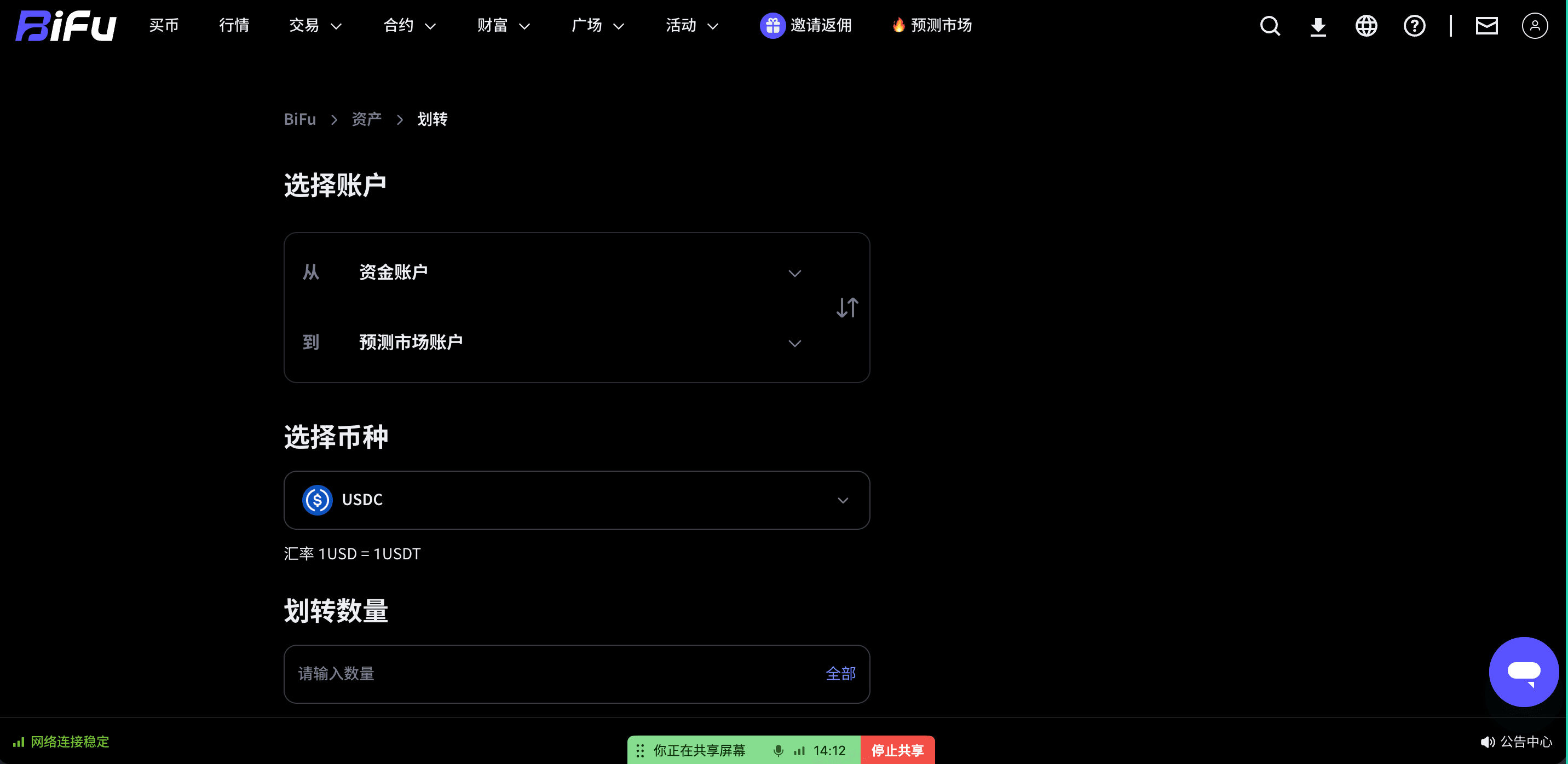
- Transfer USDC to the "Prediction Market account".
- Confirm that you have selected the "Prediction Market" entry in the top navigation of the Web platform.
- Read the event description, direction meaning, price, and trading rules on the specific market page.
Method 1: Buy USDC through spot trading
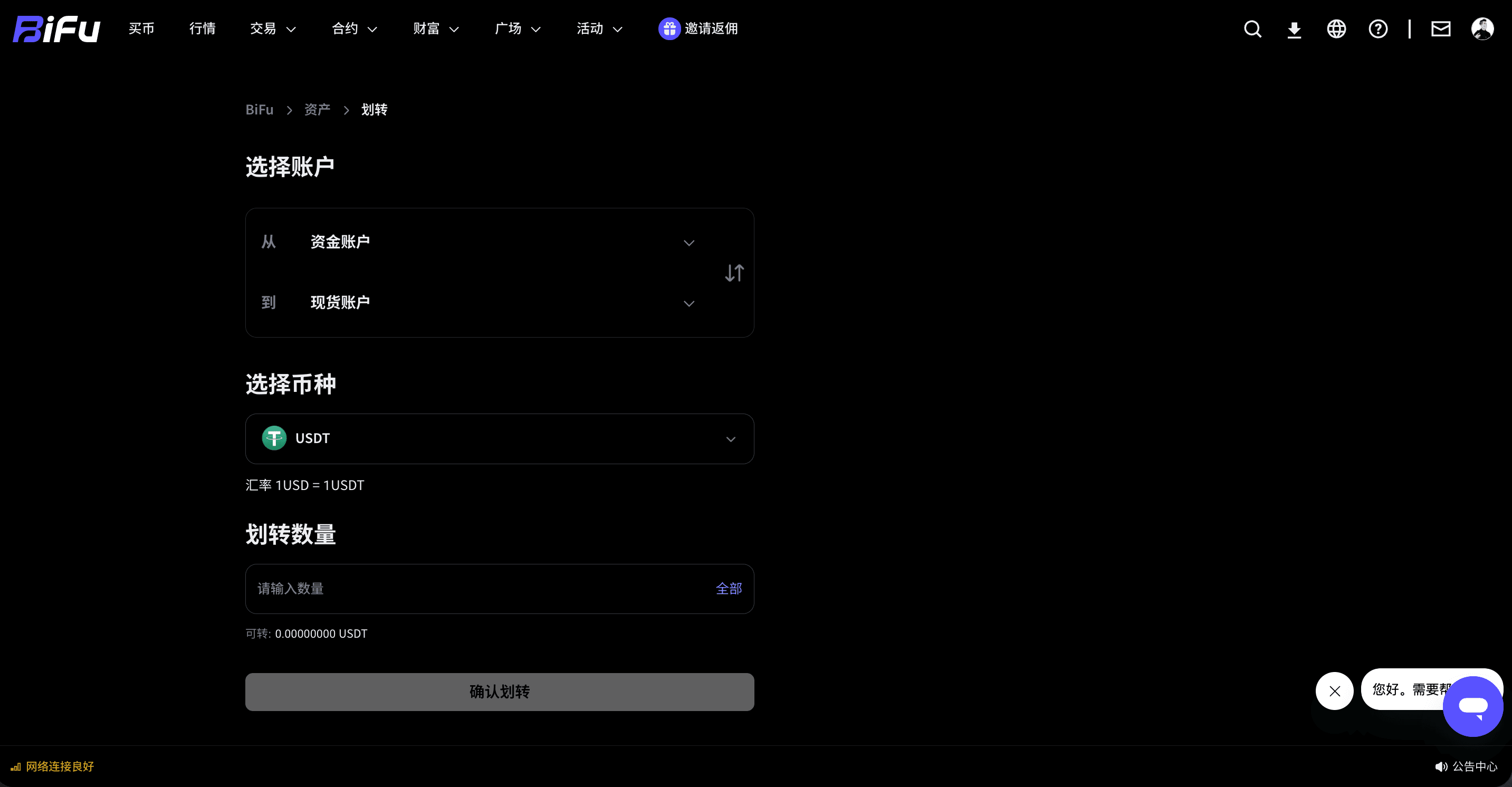
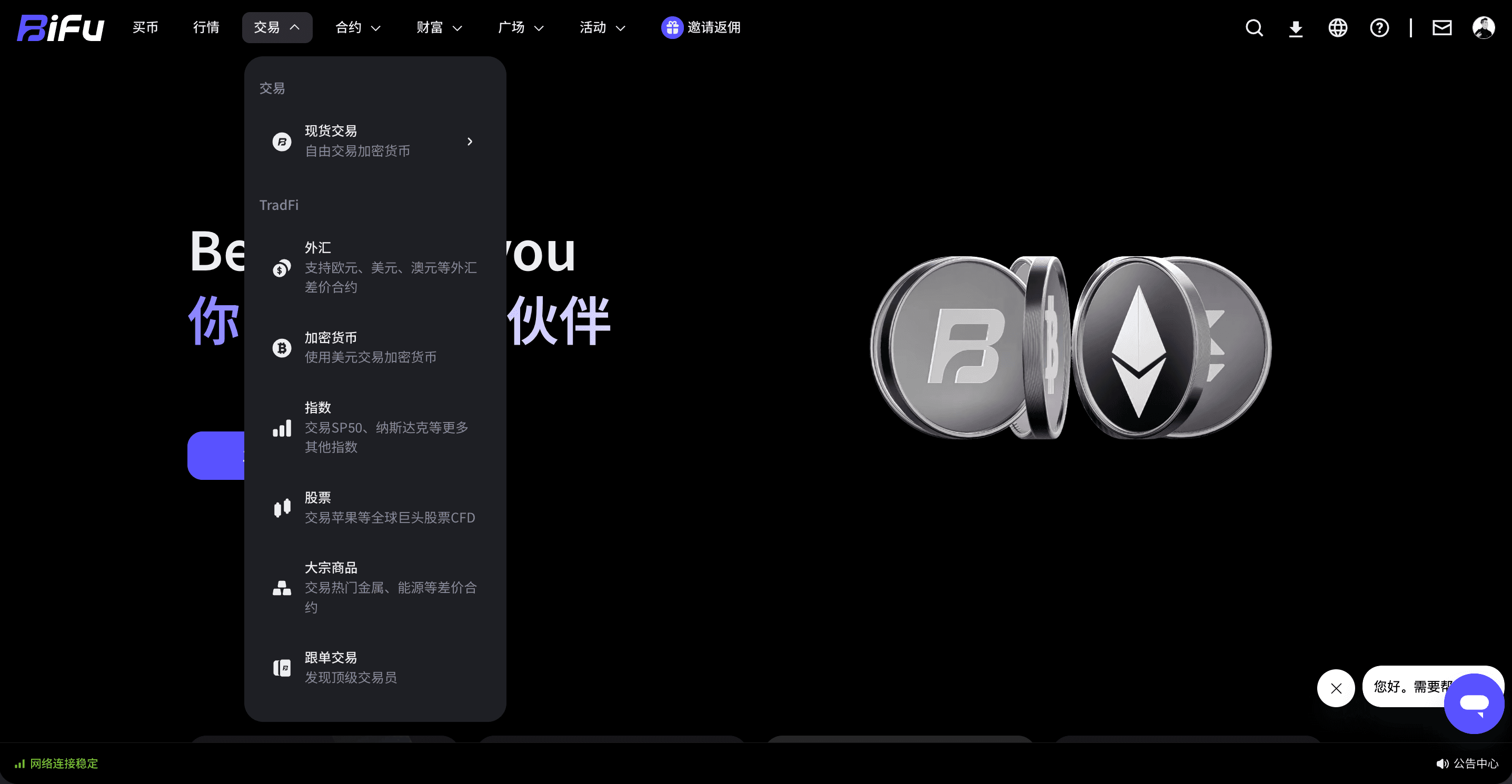
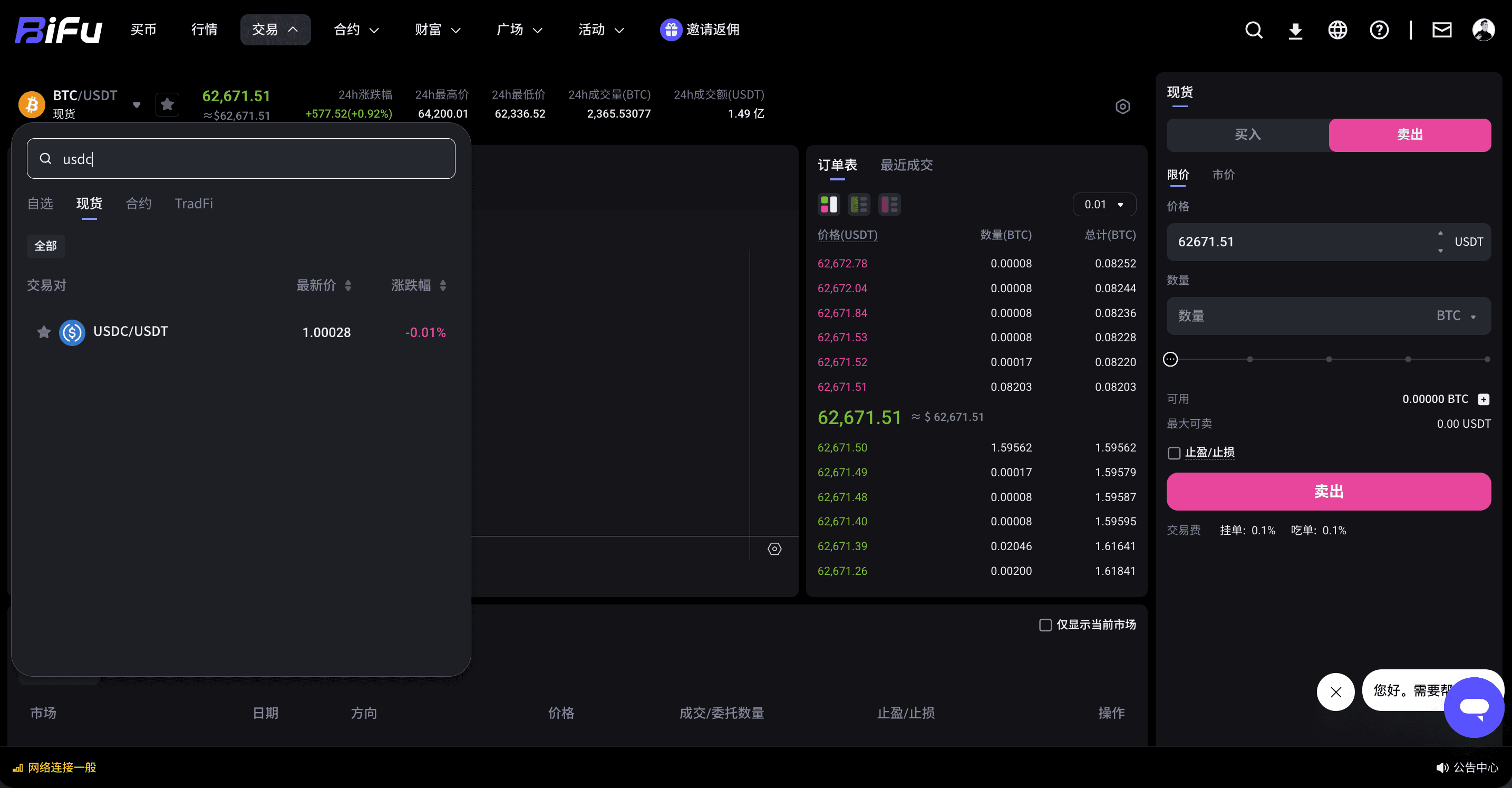
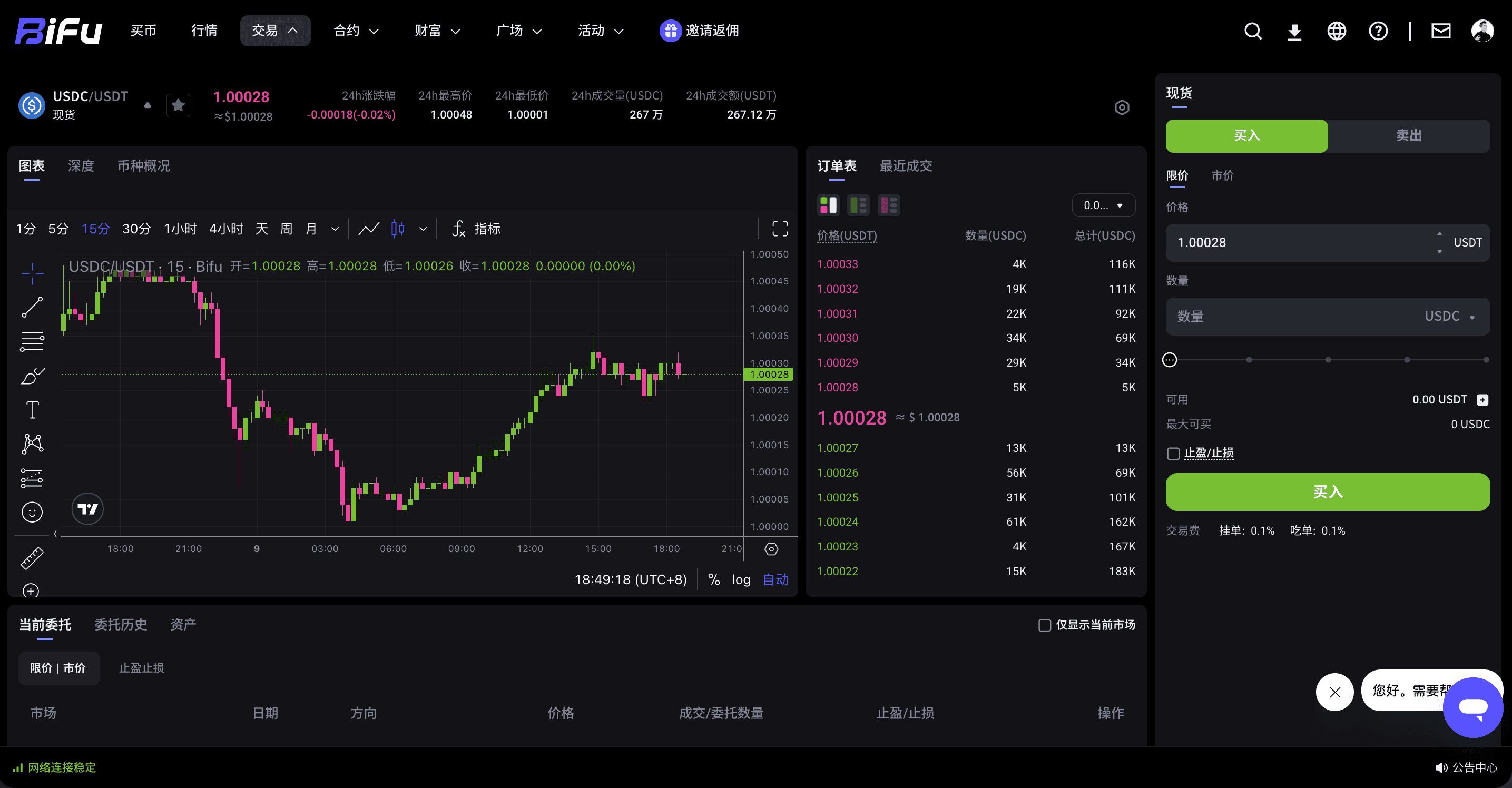
If you already have USDT in your account, you can first transfer the assets to the "Spot account", then enter "Spot Trading" to search for the USDC/USDT trading pair and buy USDC with USDT. After buying, transfer the USDC to the "Prediction Market account".
Method 2: Deposit USDC from the blockchain
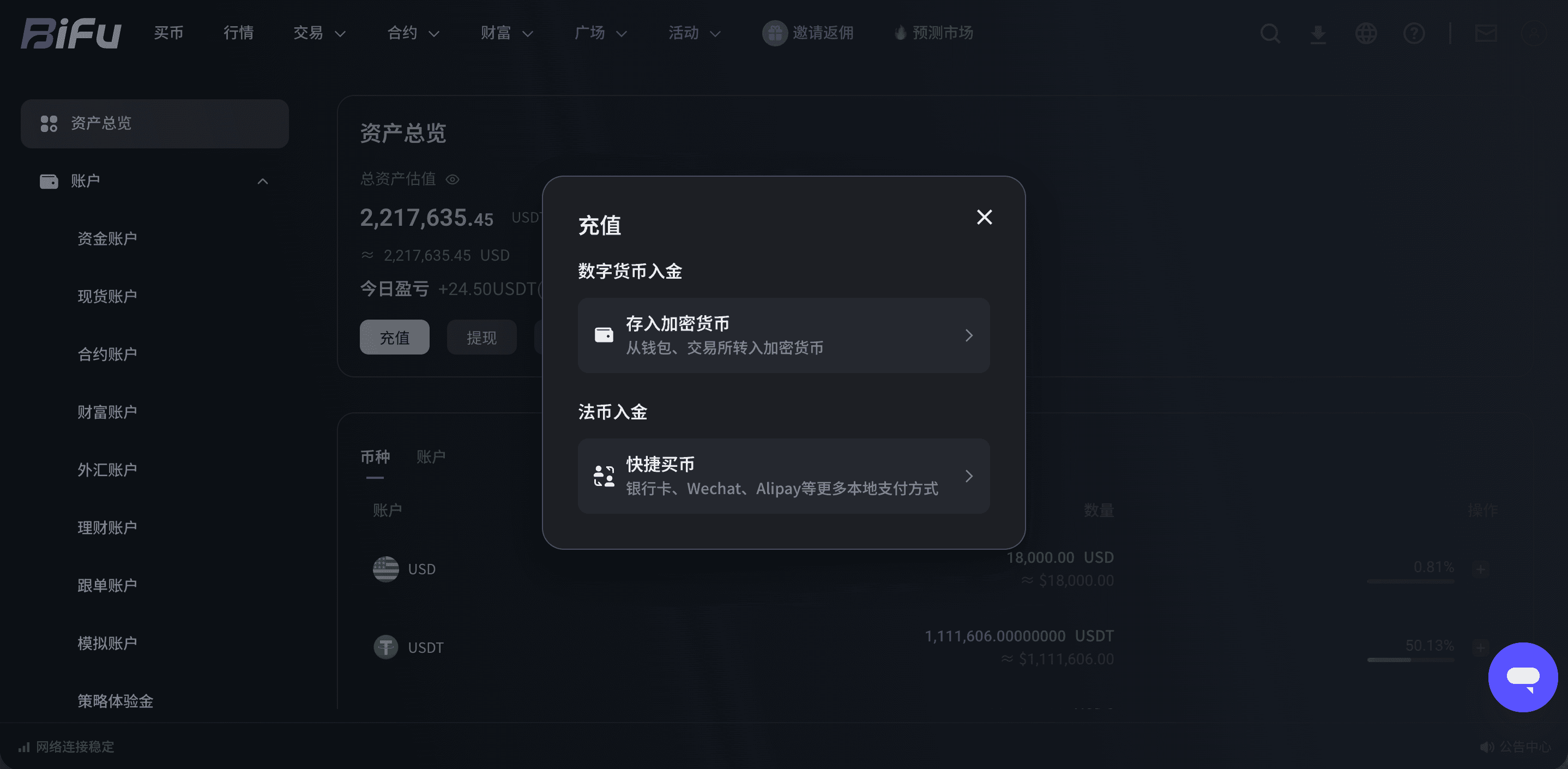
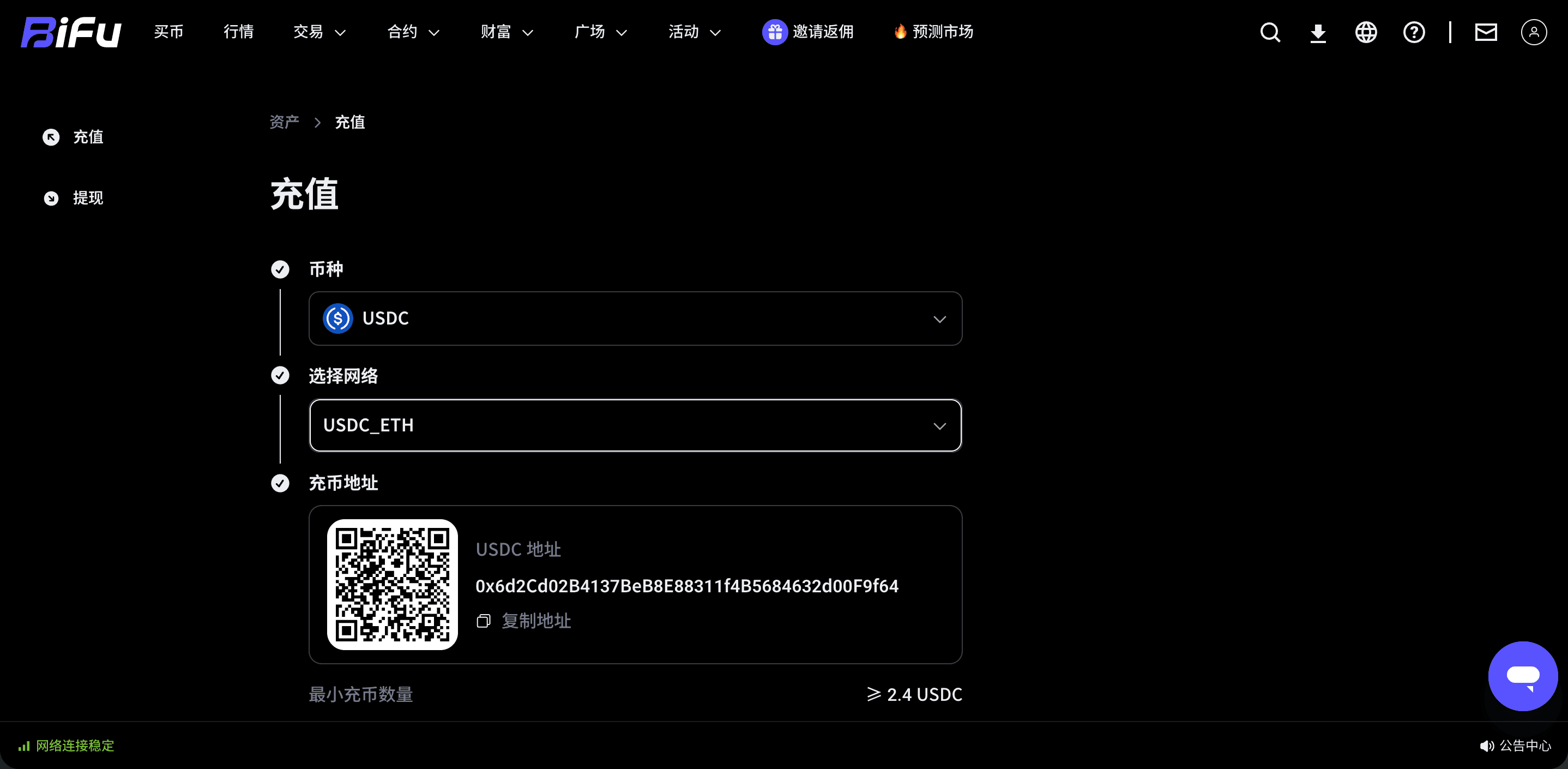
If users hold USDC in an external wallet or on another platform, they can also deposit USDC to Bifu from the blockchain. After the deposit is credited, they need to complete an account transfer to move the funds to the "Prediction Market account" before they can place orders in the Prediction Market.
How to enter the Web Prediction Market?
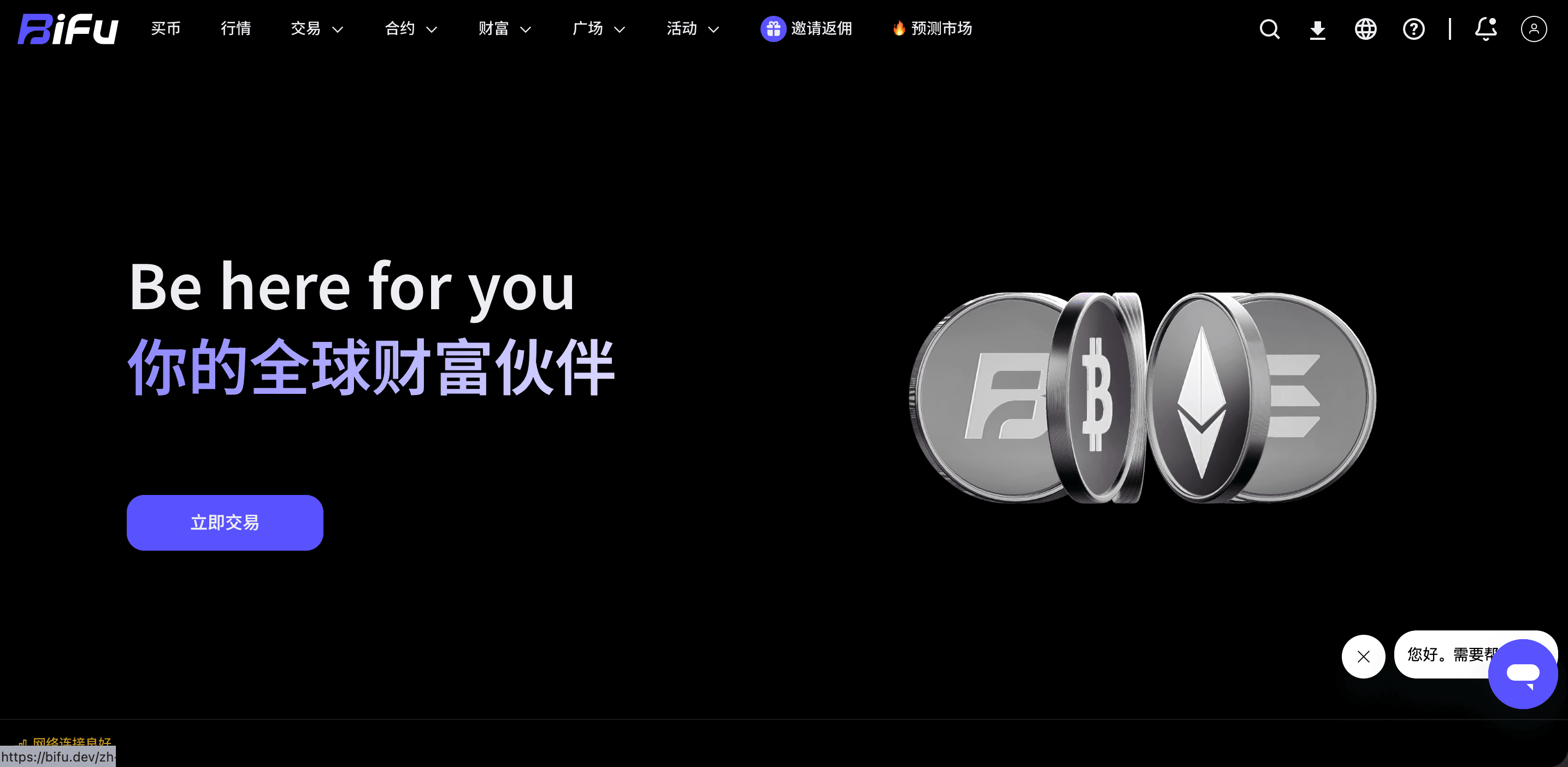
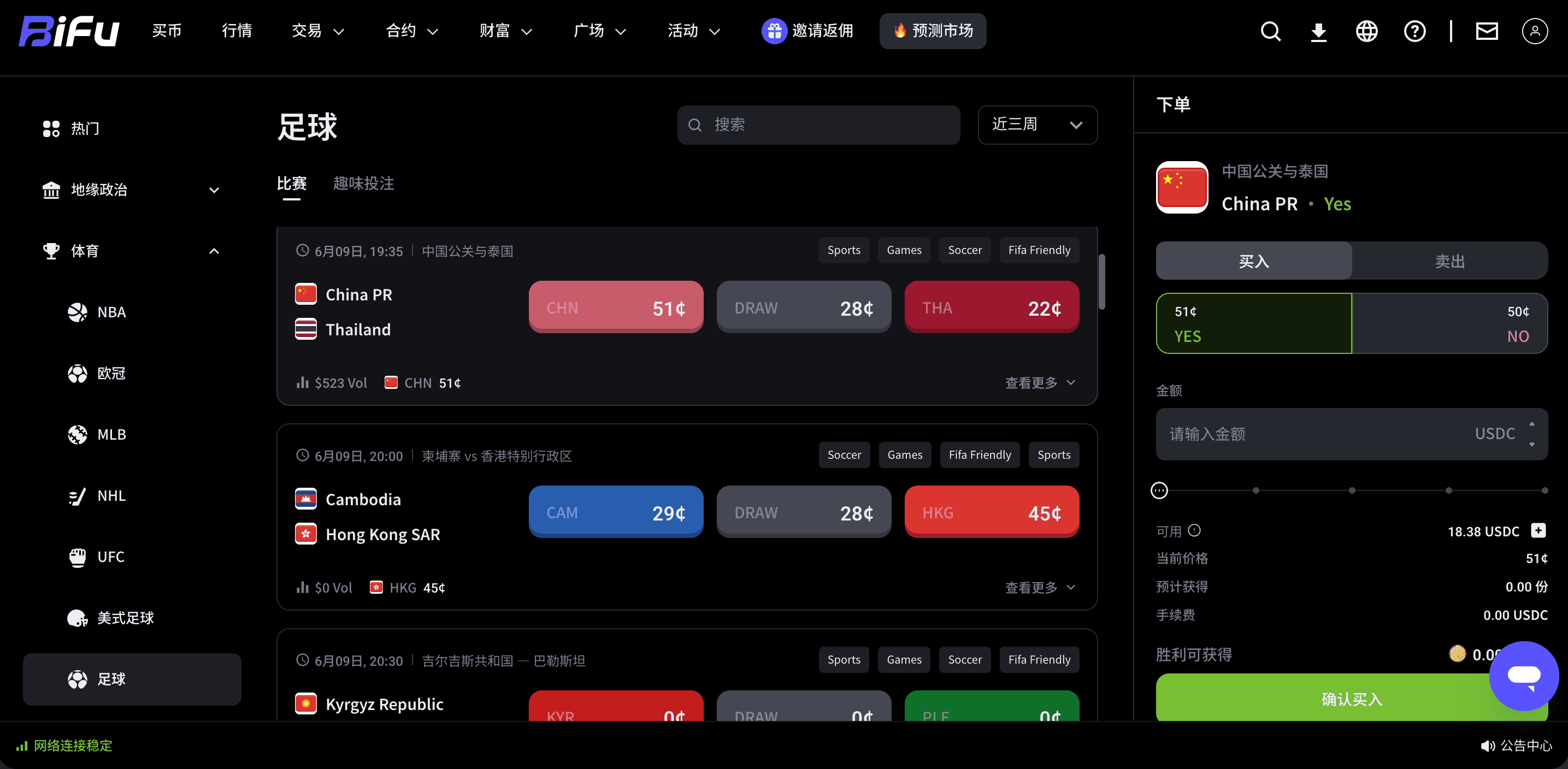
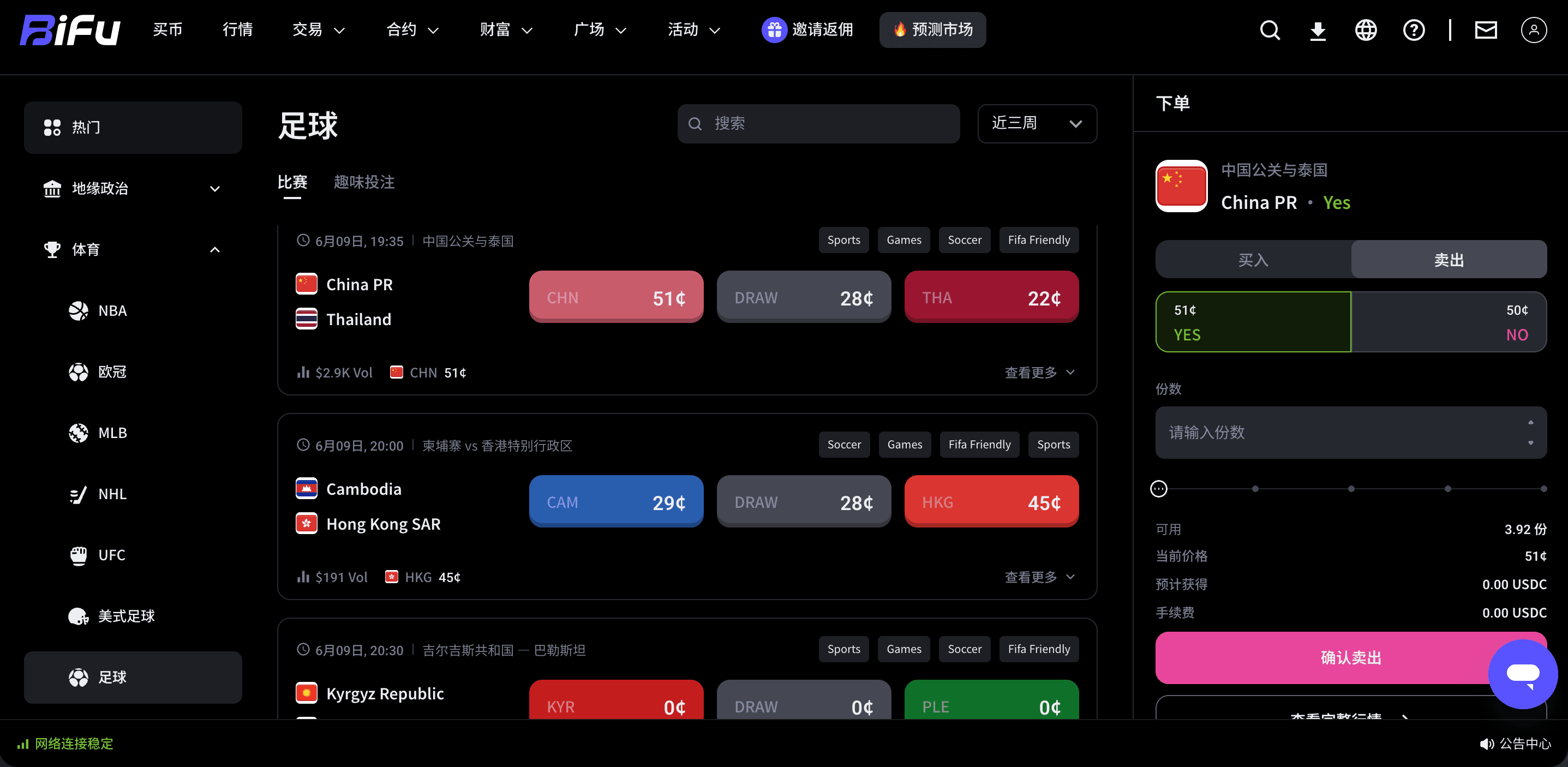
After funding is prepared, users can enter the trading page via the "Prediction Market" on the top of the homepage. Once inside, browse the market categories and event list, and select a specific prediction project based on the topic of interest.
How to select YES/NO and buy?
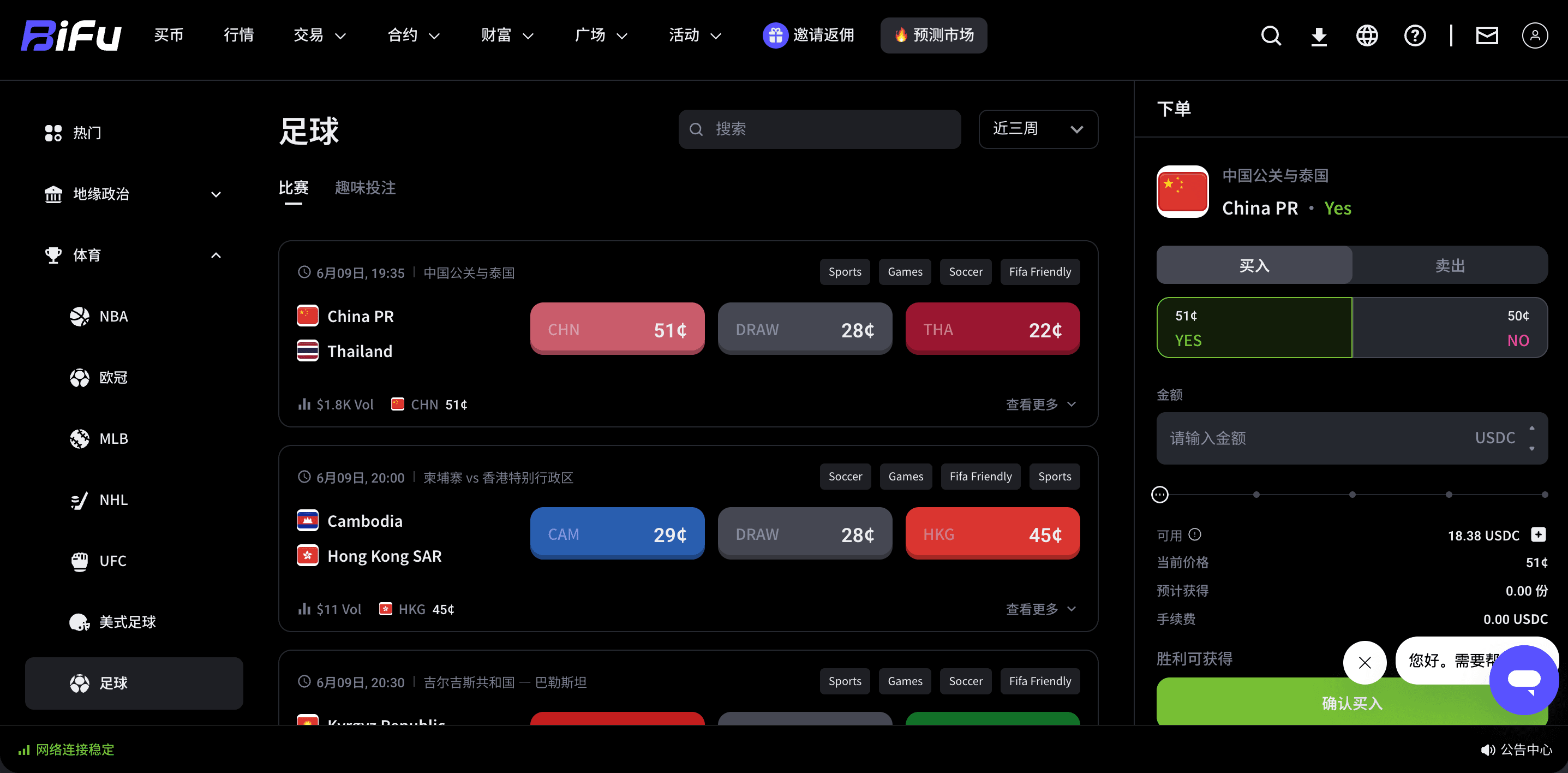
After entering a specific prediction project, the page displays the tradable directions for that event. Users can choose YES or NO based on their judgment and enter the purchase amount. YES usually means supporting the event outcome, and NO usually means not supporting it. The specific meaning should still be based on the event description on the page.
Taking a football prediction as an example, if you choose a team direction and buy YES, it means you support the outcome related to that team; choosing NO means you do not support that outcome. After buying, users can continue to observe price changes, choose to sell when the price is higher than their purchase price, or hold the position until the prediction ends and wait for the system to settle automatically after confirming the risk.
What is the difference between market price buying and limit price buying?
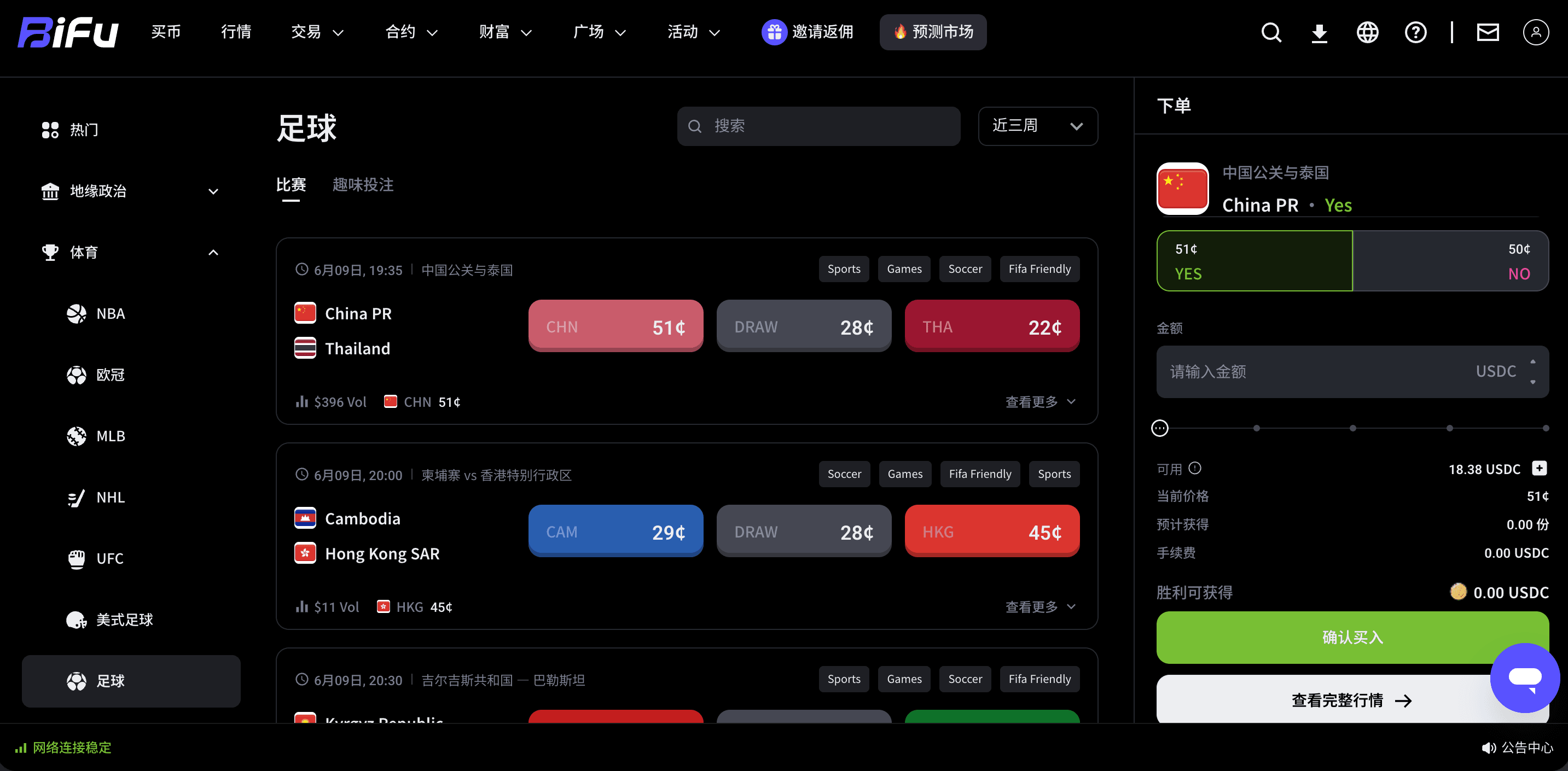
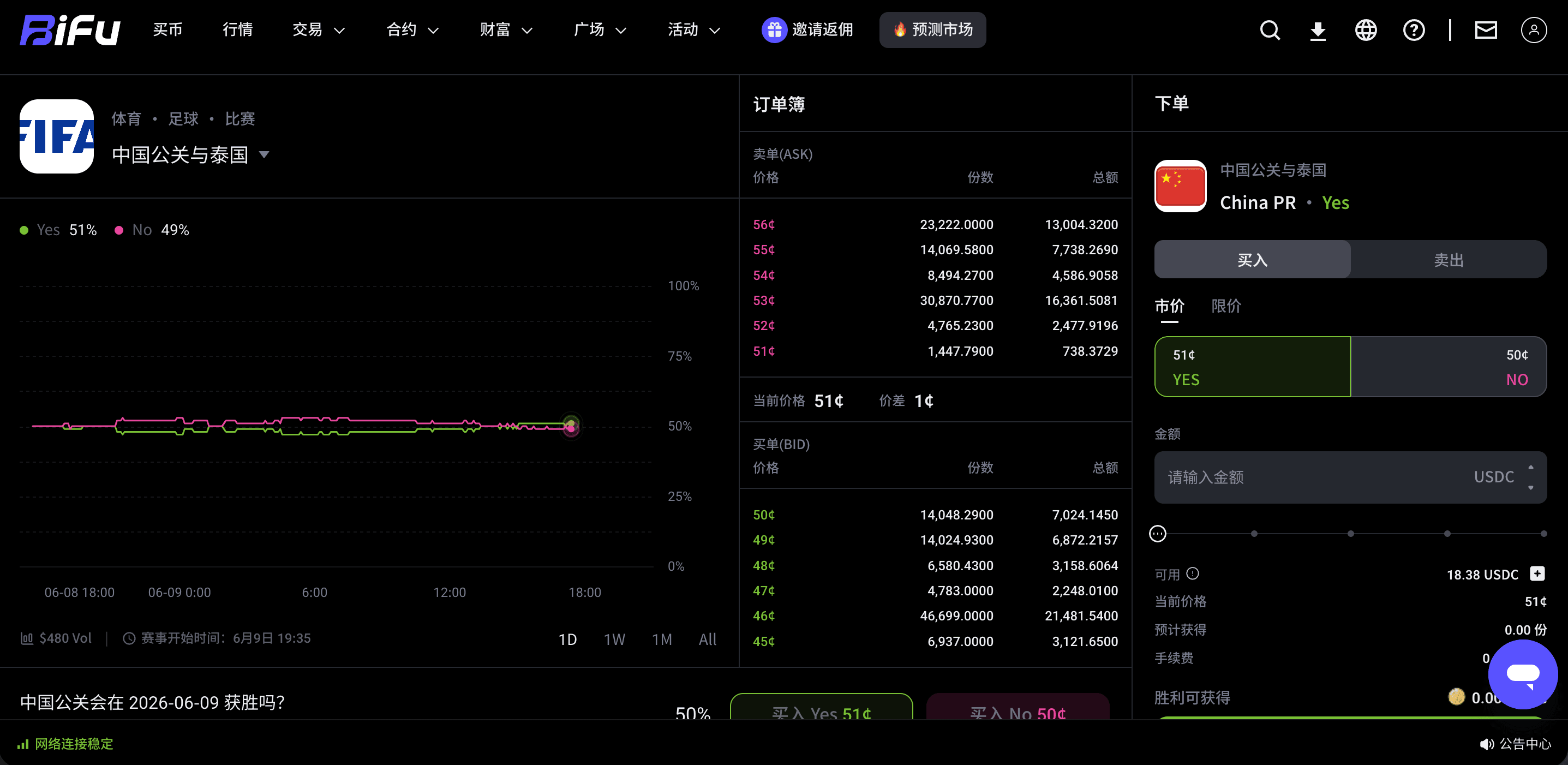
The Prediction Market supports market price buying or limit price buying. Market price buying emphasizes instant execution, and the actual execution price may be affected by the current order book; limit price buying allows users to set the price they are willing to accept, and whether the order is executed depends on whether the market reaches the corresponding conditions. Users can click "View Full Market" in the bottom right corner to enter the details page, then select "Market" or "Limit" to proceed.
How to sell or wait for settlement after buying?
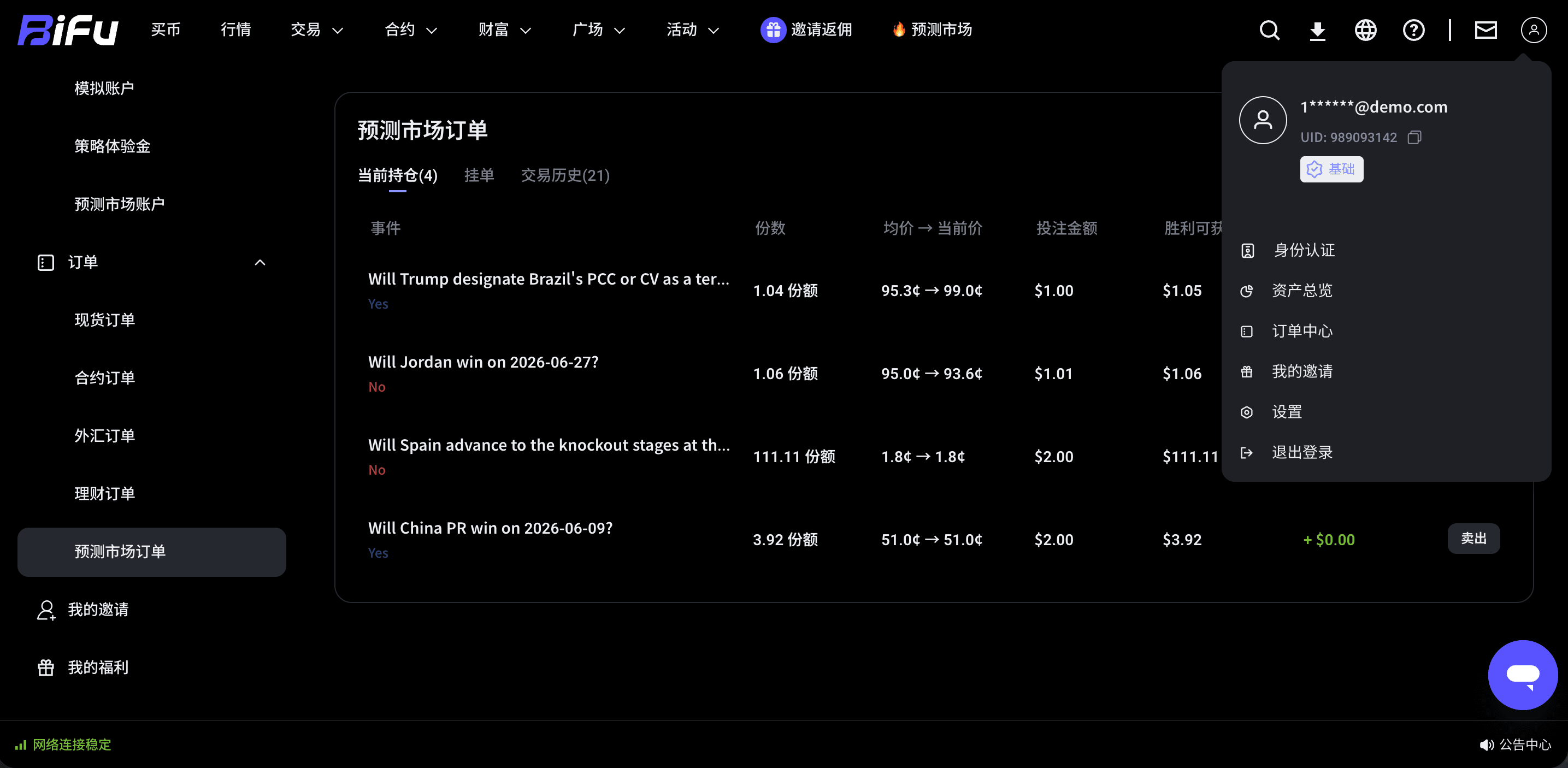
After buying, users can choose to sell at any time based on market changes, or wait for the system to automatically settle after the prediction event ends. If choosing to sell early, the actual result depends on the market price and order execution at that time; if waiting for settlement, users need to pay attention to the final event outcome and the platform's settlement rules.
How to check open positions and settled funds?
Users can enter "Prediction Market Orders" through the "Order Center" in the top right corner to view purchase records, purchase prices, order status, and related history.
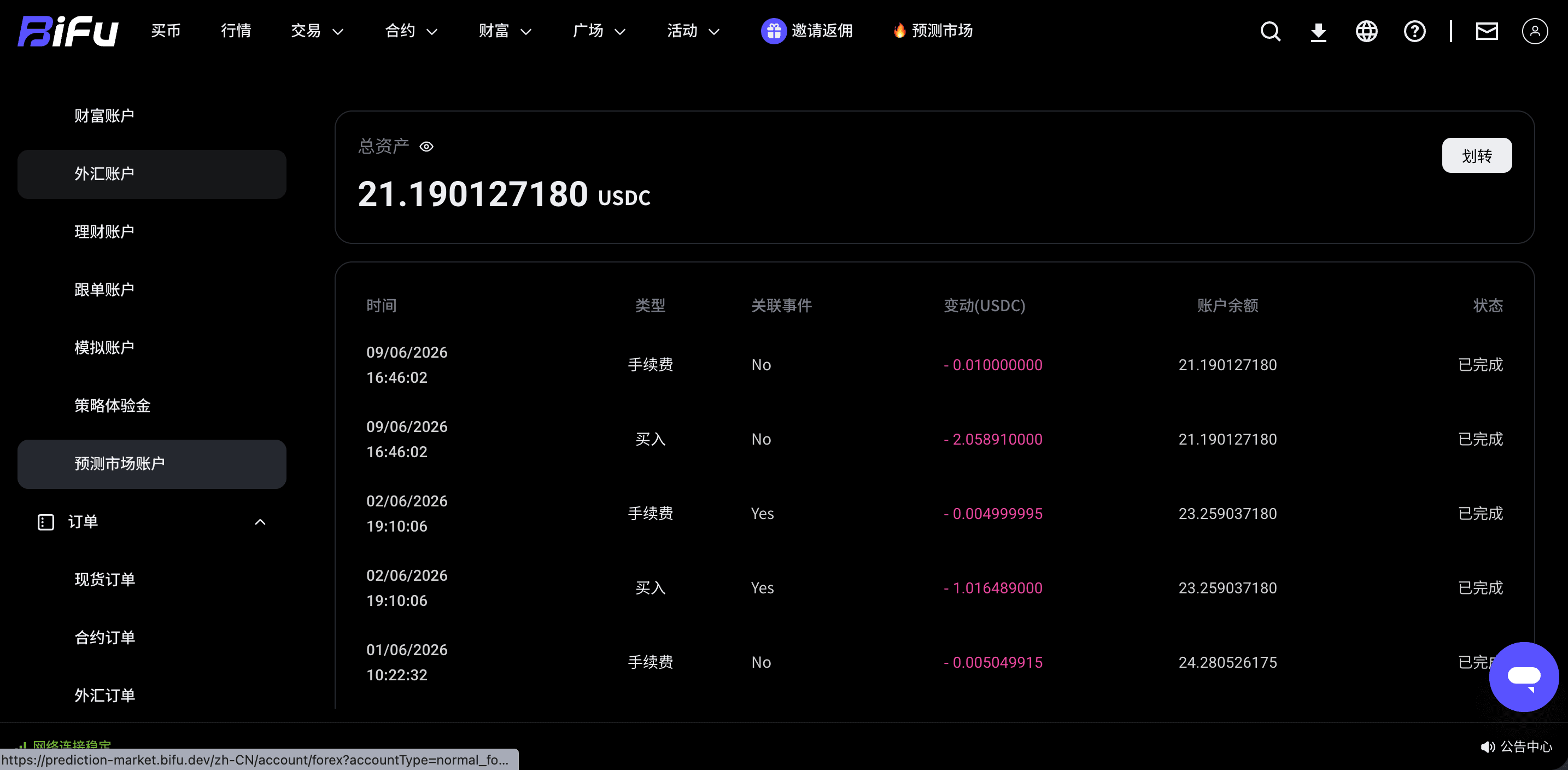
When users sell, or when the prediction ends and settlement is completed, the funds will be credited to the "Prediction Market account". If a withdrawal is needed, users can transfer the funds back to other accounts via the "Transfer" option in the top right corner.
Pre-operation checklist
- Confirm that the order asset is USDC, not USDT or other assets.
- Confirm that USDC is already in the "Prediction Market account", not just in the funding account or spot account.
- Confirm that the event title, YES/NO meaning, and settlement rules have been clearly read.
- Confirm whether you are using market price or limit price to avoid unexpected execution due to price misunderstanding.
- After trading, go to the "Order Center" to check order status, and handle funds through "Transfer" when needed.
The core of Prediction Markets is not simply judging price rises or falls, but pricing and trading around verifiable event outcomes. Users should first complete fund preparation before operating, then make decisions based on event descriptions, order types, and their own risk tolerance.
准备好开始使用预测市场?
This guide explains Prediction Markets and event contracts. It covers preparing USDC, entering the market, selecting YES/NO, buying at market or limit price, selling or settling, and checking orders and transferring funds.
Related articles
Bifu Futures Trading Fee Guide
Futures trading on Bifu offers traders high leverage, liquidity, and opportunities across popular cryptocurrency pairs like BTC/USDT, ETH/USDT, and more. One of the most important factors for profitable trading is understanding Bifu Futures Trading Fees.
2026-07-27 · 1 min read
How to Read a Capital Account Statement in a Tokenized Fund
A capital account statement is the single document that shows what you committed to a tokenized fund, what has actually been called and paid in, what has been distributed back to you, and what your remaining position is estimated to be worth as of a given date.
2026-07-27 · 6 min read


About Us
Trading
Risk Warning
Trading foreign exchange, contracts for difference, over-the-counter derivatives, margin products, and other leveraged financial instruments involves a high level of risk and may not be suitable for all clients. These products can result in losses that may exceed your initial deposit, depending on the product terms, account settings, and applicable legal protections. You should not trade unless you fully understand the nature of the products, the risks involved, and the extent of your exposure. When trading derivative products, you do not own or have any rights to the underlying asset.
The information provided on this website is general in nature and does not take into account your investment objectives, financial situation, trading experience, or particular needs. Nothing on this website should be construed as personal financial advice, investment advice, an offer, invitation, solicitation, recommendation, or inducement to buy, sell, subscribe for, or dispose of any financial product or service.
All market commentary, educational materials, research content, platform information, and other materials published on this website are provided for general information and reference purposes only. Past performance, historical data, examples, forecasts, or simulated results are not reliable indicators of future performance.
Access to Bifu Markets’ products and services is not available in all jurisdictions. We do not open accounts for residents of certain countries and jurisdictions, including but not limited to the United States, Australia, Canada, and the Democratic People's Republic of Korea.
By accessing this website, you confirm that you are doing so on your own initiative and that you are responsible for ensuring that your use of this website and any services provided by Bifu Markets complies with the laws and regulations applicable to you in your jurisdiction.
Bifu is operated by Bifu Markets (Pty) Ltd.
Registered address: Norwich Place West, 2nd Floor, Cnr 5th and Norwich, Sandown, Sandton, Gauteng, South Africa.