How can we help?
About Bifu
Security and Compliance
Education and Support
Accounts Management
Trading Guideline
Forex Community
Complete Your First Deposit
01/08/2025 09:16:46
Depositing funds into your Bifu account is simple and secure. Follow this step-by-step guide to complete your deposit and start trading.
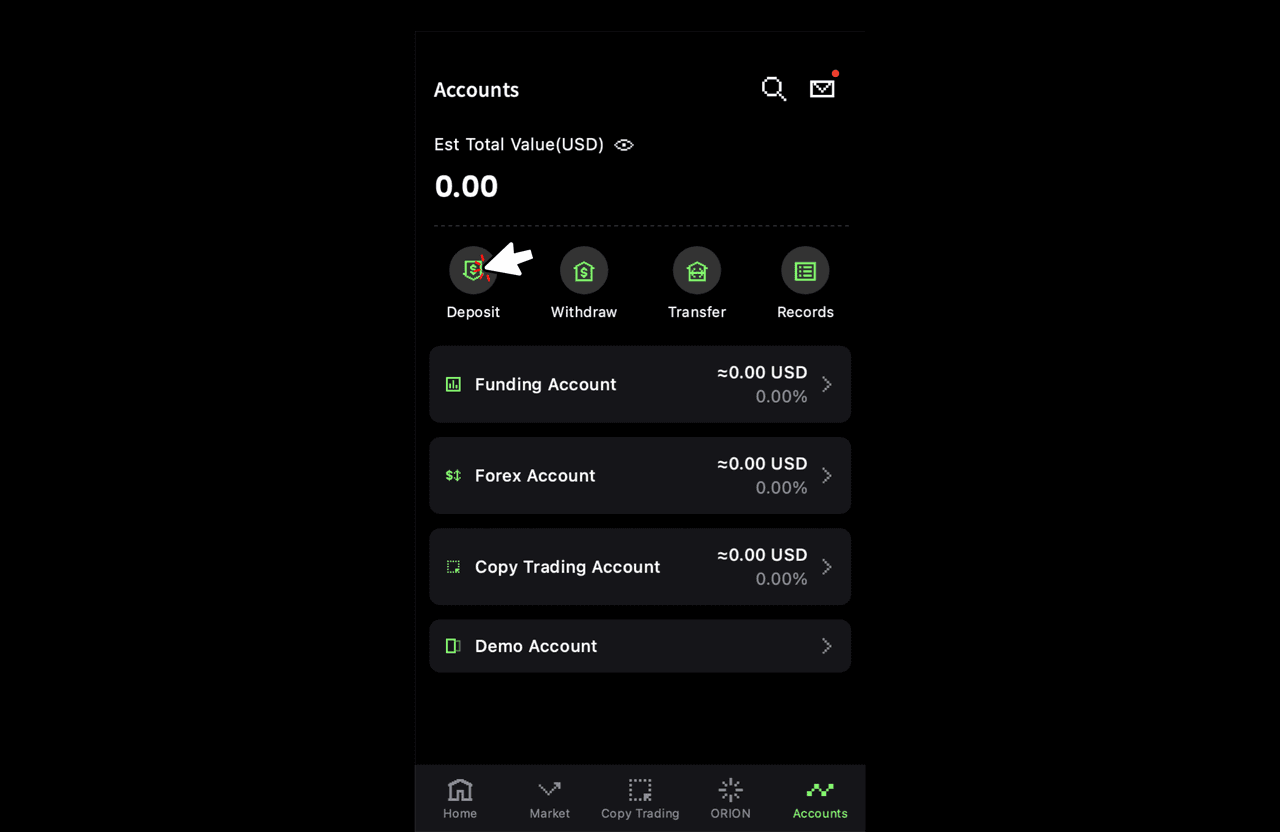
Step 1: Click on “Accounts”
After logging into your Bifu account, navigate to the "Accounts" section from the main menu.

Step 2: Click on “Deposits”
Within the "Accounts" section, click on the “Deposits” option to begin the deposit process.
Step 3: Choose Your Payment Method
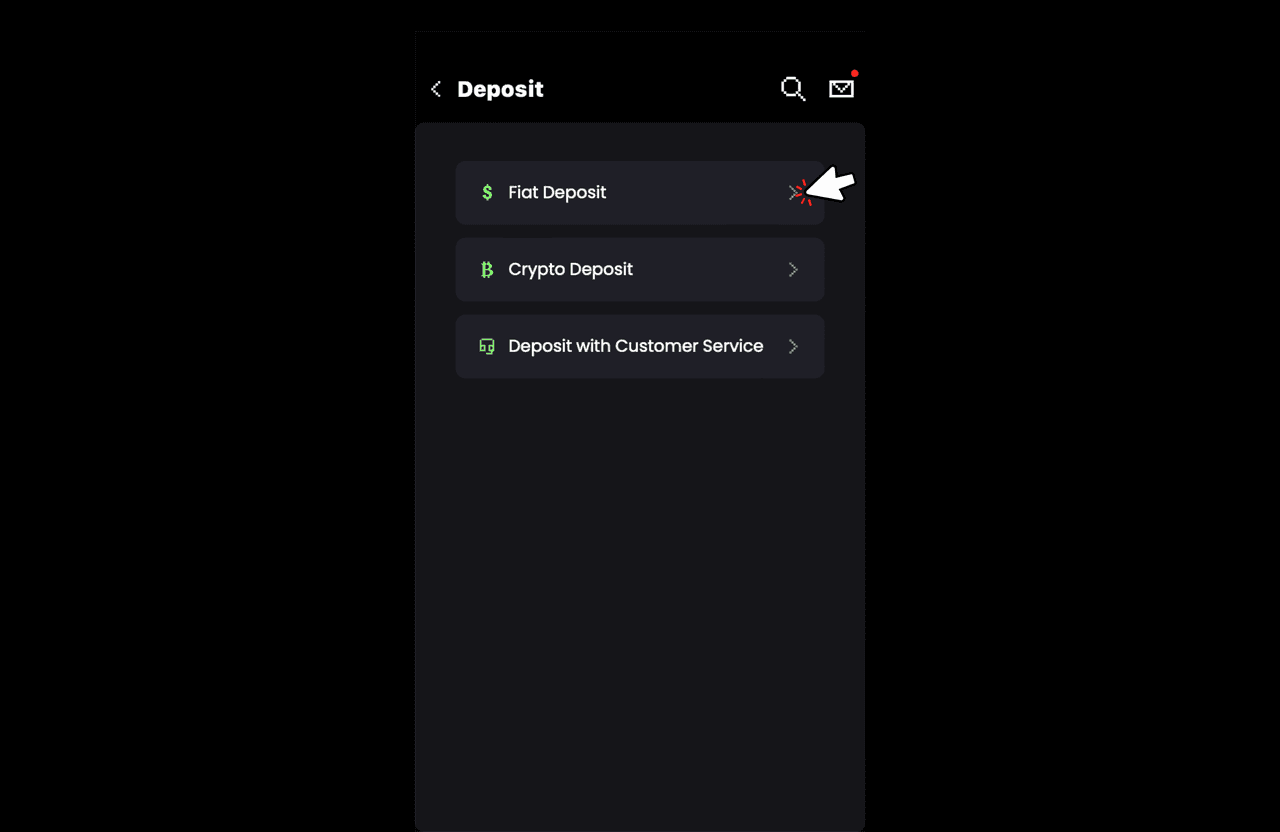
Bifu offers multiple payment methods for your convenience:
- Fiat Deposit: Use traditional currency to fund your account.
- Crypto Deposit: Deposit cryptocurrencies directly into your account.
- Deposit with Customer Service: Contact customer service for assistance with your deposit.
Step 4: Choose the Currency You Need
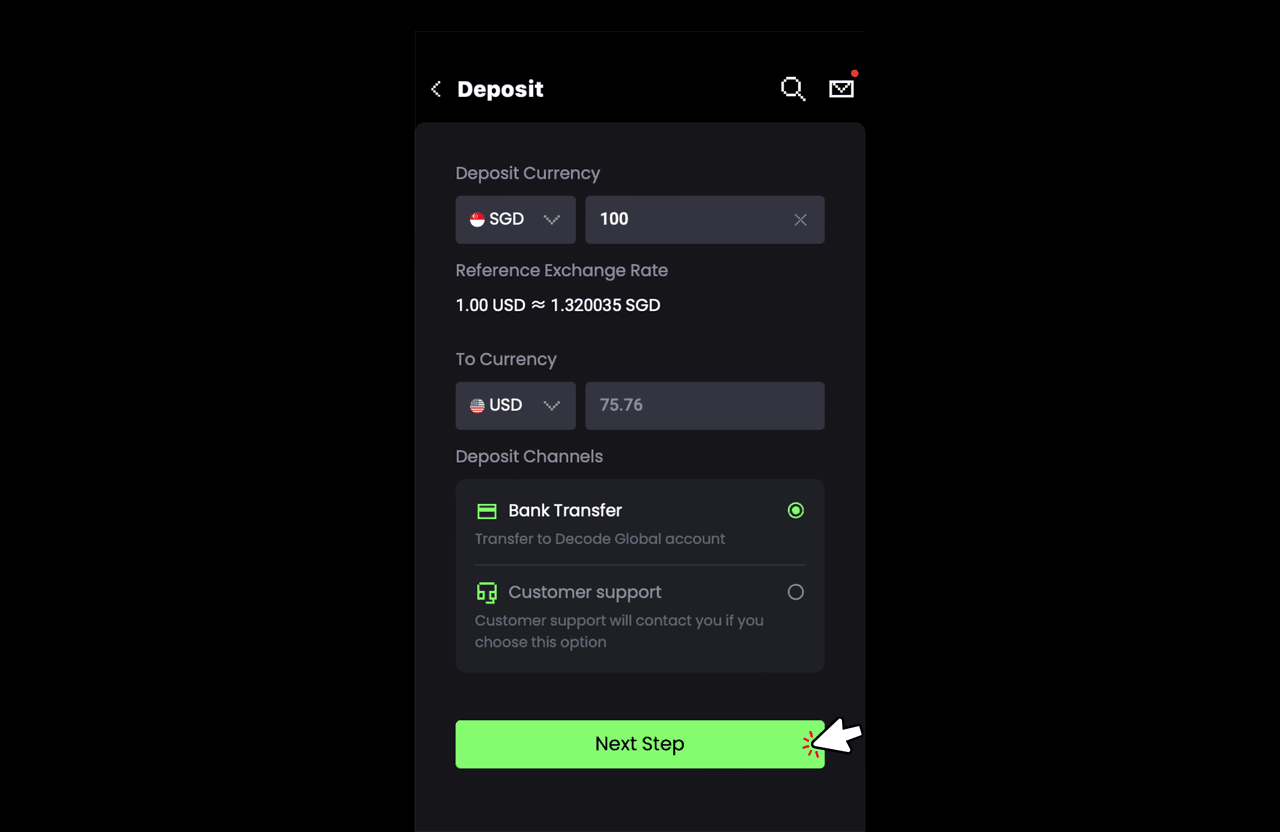
Select the currency you wish to deposit from the available options.
Step 5: Input Deposit Amount
Enter the amount you wish to deposit into your Bifu account.
Step 6: Confirm the Official Account for Depositing
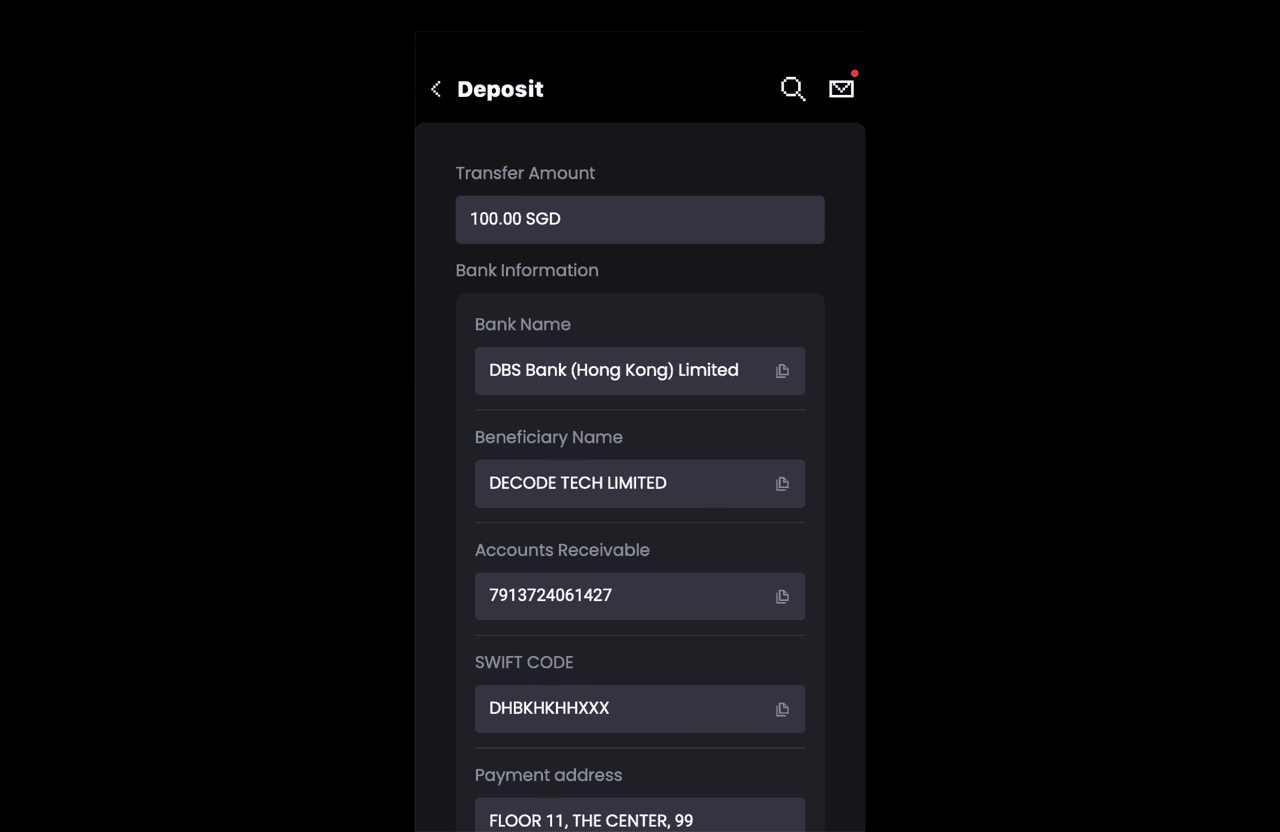
Double-check that the official Bifu account details provided for depositing are correct before proceeding.
Step 7: Upload Payment Vouchers
After completing the payment, upload the payment voucher or receipt to confirm your deposit.
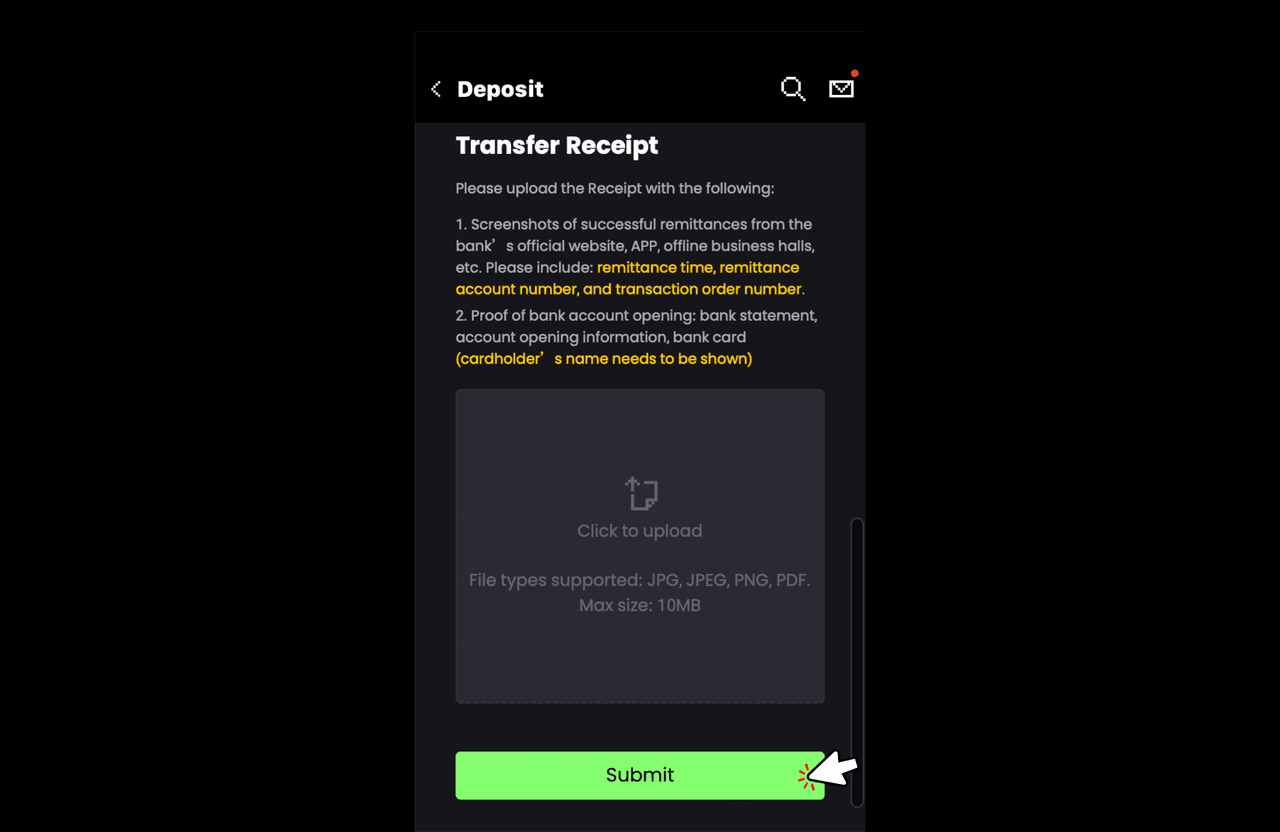
Step 8: Completion of Deposit
Once the payment voucher is uploaded, your deposit will be processed, and you’ll receive a confirmation once the funds are available in your account.